

How to Add a Custom Domain to Your vCard or Store?
1. Access Your DNS Management
Log in to your domain registrar's account (such as GoDaddy, Namecheap, Bluehost, or Cloudflare) and open the DNS Management section for the domain you want to connect.
2. Add a CNAME Record
Create a new CNAME record with the following details:
| CNAME | @ | mercadopago-rec.goapps.co.in | DNS Only | Auto |
- Host: @ (Represents the root domain.)
- Value: mercadopago-rec.goapps.co.us
- Proxy Status: DNS Only
- TTL: Auto (or your preferred value)
If you're using Cloudflare , refer to the following guide:
הגדרות ה- Cloudflare DNS
הגדרת רישומי DNS של Cloudflare ורגלי הדף
1. Setting Up Cloudflare DNS Records
כניסה ל- Cloudflare
- Visit the לוח המקרה Cloudflare and log in to your account.
בחר את תחום האתר שלך
- מהגולת המקרה, בחר את הדומיין שאתה רוצה להגדיר.
הוסף רישומים DNS
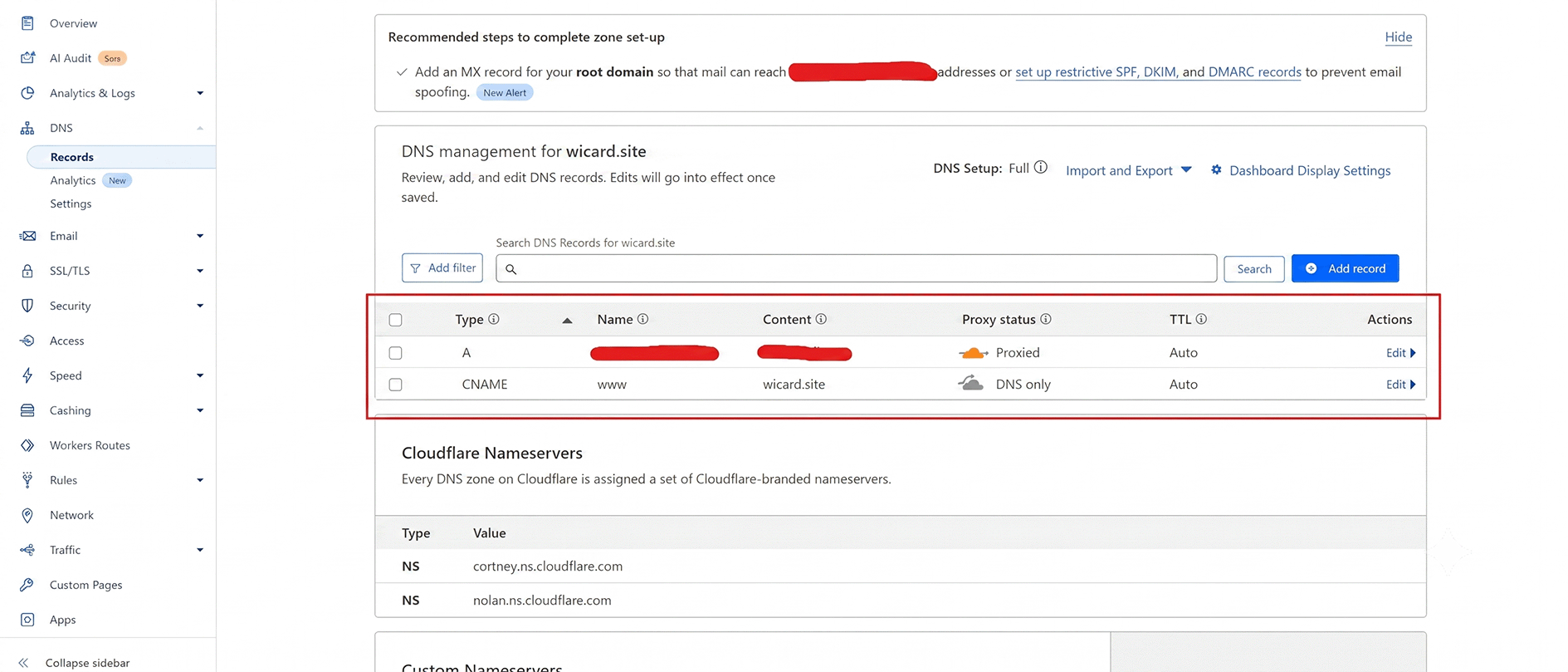
- Go to the DNS tab and click Add Record to add the necessary DNS entries.
| א | @ (root domain) | Enter your server’s IP address | Enabled (orange cloud icon) | Auto |
| CNAME | www | mercadopago-rec.goapps.co.in | Disabled (gray cloud icon) | Auto |
- שמור כל רשום לאחר הכניסה של הפרטים.
DNS Record Example:
2. Creating Page Rules
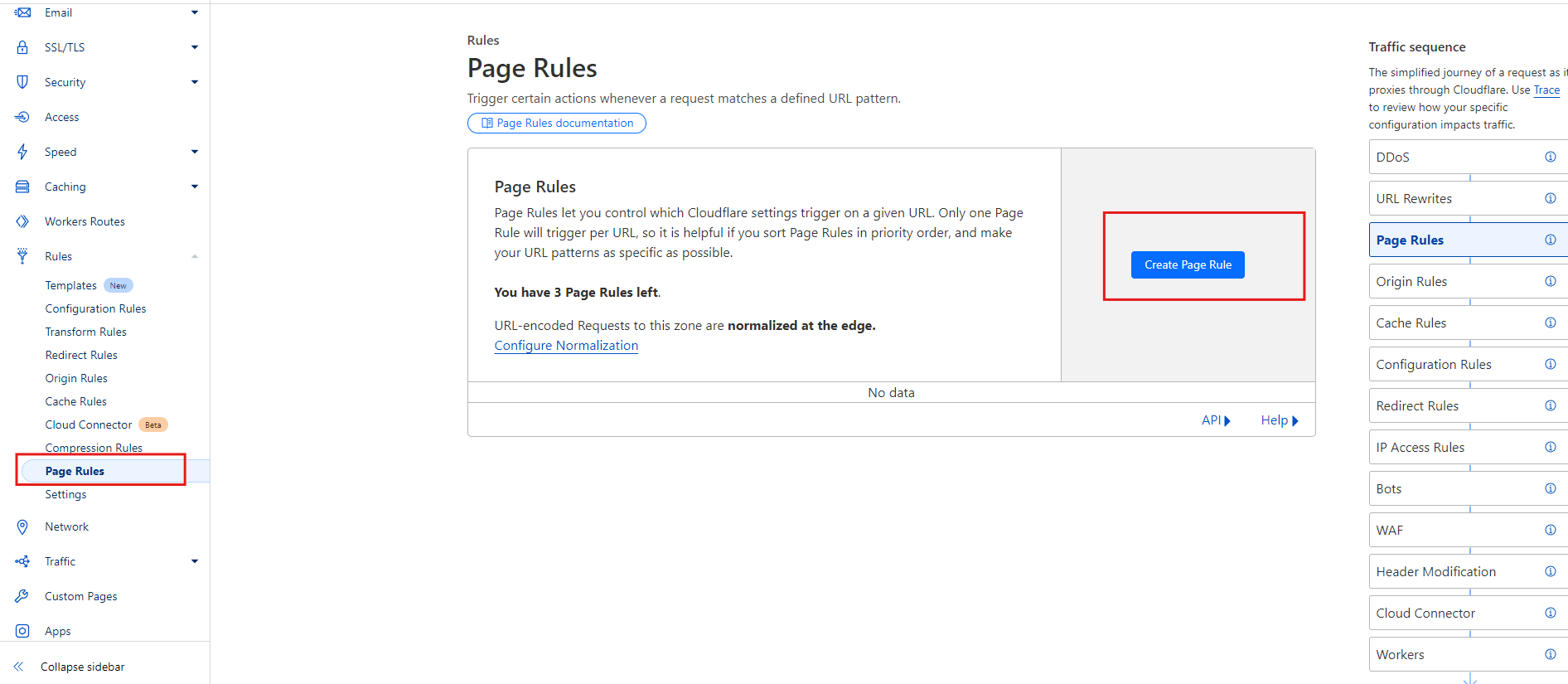
לכו לחוקים של הדף
- Go to the Page Rules tab on your domain's dashboard.
הוסף חוק דף חדש
- Click Create Page Rule and configure rules as needed.
דוגמה של חוקי דף:
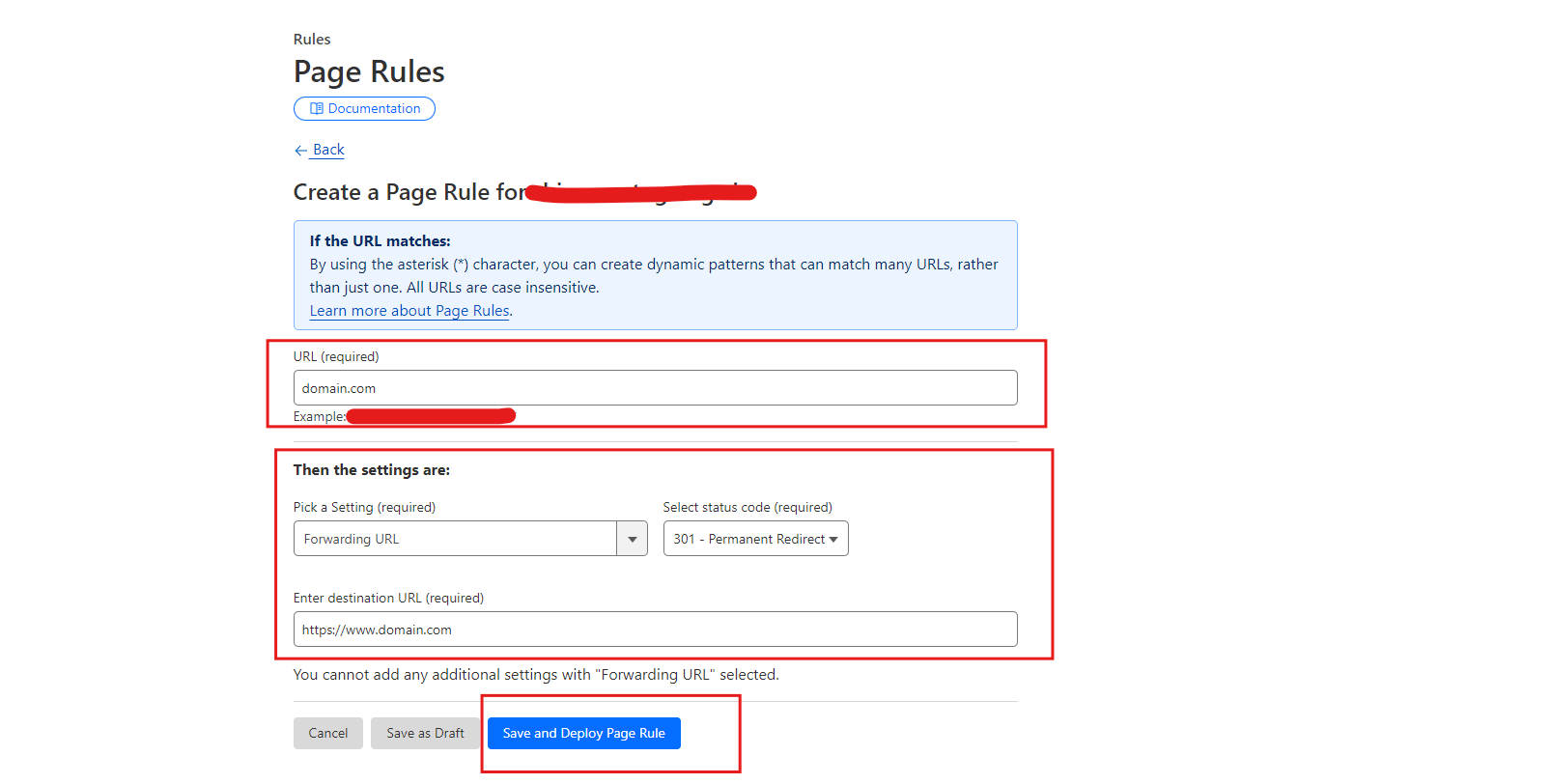
דוגמה של פקודות עמודה:
| example.com | URL של העברה | 301 הפנייה קבועה | https://www.example.com |
דוגמה של פנה-הדרך:
תמיד השתמש ב- HTTPS
| example.com/ | תמיד השתמש ב- HTTPS |
Click חוסך ולהפקיד to activate the rule.
Tip: Page rules are applied in order from top to bottom. Arrange them carefully based on priority. Use wildcards (*) for broader rule coverage, like *example.com/* to cover all pages.
3. Save the DNS Record
Save the CNAME record in your DNS management panel.
הערה
DNS changes may take some time to propagate, depending on your domain provider.
4. Configure Your vCard or Store
After adding the DNS record, enter your custom domain (for example, yourdomain.com) in your vCard or Store settings and submit the request.
5. Domain Verification
Once you submit the custom domain request, it will be sent to the website administrator for approval.
The administrator will verify your DNS configuration and assign the custom domain to your vCard or Store. Until then, the request will remain in the עיבוד status.
הערה חשובה
The steps for adding a CNAME record may vary depending on your domain registrar or DNS provider. If you have any difficulty, refer to your provider's documentation or contact their support team for assistance.
Pager